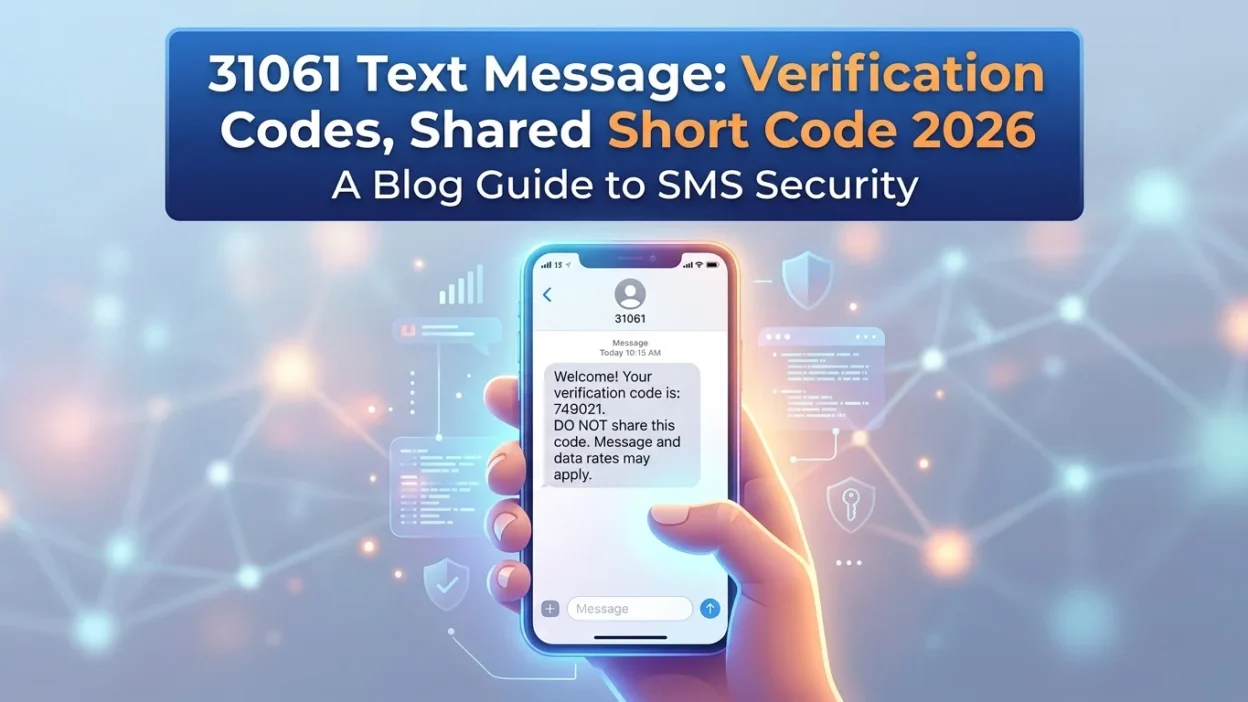
📱 You glance at your phone and see a text from an unfamiliar number: 31061. It contains a verification code, but you didn’t request one. Is it a scam? Should you be worried? Or is it something legitimate you should pay attention to?
The 31061 text message is a shared short code used by multiple companies to send two-factor authentication (2FA) codes and account alerts. Unlike dedicated short codes owned by a single brand, 31061 operates as a multi-service number that different businesses lease through messaging platforms like Nexmo (Vonage). This guide explains everything you need to know about the 31061 short code, why you might receive messages from it, and how to protect yourself from potential scams.
📌 What Is the 31061 Short Code?
The number 31061 is a registered short code used for high-volume, automated messaging. Short codes are 5-6 digit numbers that companies use to send SMS and MMS messages to mobile phones. They are designed to be easier to remember than standard 10-digit phone numbers and are specifically built for automated services.
When you receive a 31061 text message, it is typically a communication from a business or service. These messages are sent after users opt-in to the sender’s SMS notification program. However, the shared nature of this code means multiple companies can use it simultaneously, making it harder to identify the exact sender without reading the message content.
📱 Who Uses the 31061 Short Code?
The 31061 short code is used by multiple businesses and organizations for various purposes. According to research, the code is most commonly associated with Nexmo (Vonage) and is used by services like Garmin Messenger, Name.com, and Shop Pay. This is common with shared short codes, where different companies use the same number and identify themselves within the message content.
Types of Organizations That Use 31061
- Garmin Messenger: Sending verification codes for account setup and login
- Shop Pay: Routing checkout verification and purchase confirmations
- Name.com: Sending account security codes
- Automotive dealerships: Sending appointment reminders and test-drive confirmations
- Other services: Various apps and platforms use this code for 2FA and account alerts
🔍 Why Did You Receive a 31061 Text Message?
There are several legitimate reasons why you might receive a 31061 text message. Understanding these helps you determine whether the message is authentic.
Two-Factor Authentication (2FA) Codes
This is the most common reason people receive messages from 31061. When you log into a service that uses Nexmo’s platform, the system sends a one-time password to confirm your identity. If you recently tried to log into Garmin Messenger, Shop Pay, or another service using this platform, the code is legitimate.
Checkout Verification
Shop Pay (Shopify’s payment system) routes checkout verification through this code. If you just made an online purchase, that’s likely what triggered the text.
Account Security Alerts
Some services use 31061 to send login attempts, password changes, or suspicious activity notifications.
Appointment Reminders
Some automotive dealerships use 31061 for service and test-drive confirmations.
🔒 Is the 31061 Text Message a Scam?
The 31061 short code itself is legitimate. It is a registered short code used by authorized businesses. However, because 31061 is a shared short code without a single documented owner, messages from it are harder to verify than codes from dedicated short codes used by major banks or tech companies. This ambiguity is exactly what scammers exploit.
How to Tell If a Message from 31061 Is Legitimate
- You initiated the action: If you just tried to log into a service or make a purchase, the message is legitimate.
- It contains only a numeric code: Legitimate verification messages typically contain only the code, without links.
- It mentions a brand you use: The message should identify the service sending the code.
- Timing matches your activity: If you just requested a code, it’s legitimate.
When to Be Suspicious
- Unsolicited verification codes: If you receive a code without requesting one, someone might have entered your number by mistake or is trying to access an account.
- Suspicious links: Legitimate 2FA messages from 31061 typically do not contain links. If a message includes a link, be cautious.
- Follow-up contact: If someone calls or texts asking you to share the code, that’s always a scam. Legitimate companies never do this.
- Generic greetings: Messages that say “Dear Customer” instead of identifying the specific service are red flags.
The Google Voice Scam
One common scam involves 31061 codes. A scammer tries to register a Google Voice number using your phone number. You receive a verification code from 31061. Then the scammer contacts you—usually through a marketplace listing or social media—and asks you to “verify you’re real” by sharing the code. Once they have it, they’ve hijacked your number for their Google Voice account.
🛑 How to Protect Yourself from 31061 Scams
Never Share Verification Codes
Verification codes are like passwords. Never share them with anyone, even if they claim to be from a legitimate company. Legitimate services will never ask you to read back a code.
Don’t Click Suspicious Links
If a message from 31061 contains a link, do not click it. Go directly to the service’s official website or app instead.
Report Unwanted Messages
If you receive spam or suspicious messages, you can forward them to 7726 (SPAM) to report them to your carrier.
Block the Number if Necessary
If you continue to receive unwanted messages from 31061, you can block the number on your phone. However, this may prevent you from receiving legitimate verification codes from services you use.
🛑 How to Stop Receiving 31061 Messages
If you are receiving unwanted messages from 31061, you can try to opt out.
Method 1: Text “STOP” to 31061
The most effective way to stop receiving messages is to reply “STOP” to 31061. In the United States, it is required that “STOP,” “QUIT,” “CANCEL,” “UNSUBSCRIBE,” or “END” keywords remove users from the campaign sending them messages.
Method 2: Text “HELP” for More Information
You can text “HELP” to 31061 to receive more information about the service. The sender should respond with details about who they are and how to manage your subscription.
Important Note About Charges
Sending text messages to short code numbers may result in additional charges depending on your mobile plan. Check with your carrier for specific rates.
❌ Common Mistakes About 31061 Messages
Many people misunderstand the nature of the 31061 short code, leading to unnecessary concern.
Mistake 1: Assuming All Messages Are Scams
Not every message from 31061 is a scam. Legitimate businesses use this short code for valid verification and notification purposes.
Mistake 2: Sharing Codes with “Helpers”
Never share verification codes with anyone who contacts you. Scammers often pose as customer service representatives or buyers to trick you into sharing codes.
Mistake 3: Clicking Links in Verification Messages
Legitimate 2FA messages from 31061 typically don’t contain links. If a message includes a link, it’s likely a phishing attempt.
📋 What If You Didn’t Request a Code?
If you receive a 31061 text message with a verification code that you didn’t request, here’s what to do:
Don’t Panic
Someone likely entered your phone number by mistake during a signup or login attempt. It happens frequently—one wrong digit is all it takes. The code will expire on its own.
Don’t Share the Code
If anyone contacts you asking for the code, it’s a scam. Do not respond.
Check Your Accounts
If you’re concerned, log into any services you use that might be connected to 31061 (Garmin, Shop Pay, etc.) and review your account activity.
Delete the Message
Once you’ve confirmed you didn’t request it, delete the message and move on.
❓ Frequently Asked Questions
What is 31061?
31061 is a shared short code used by multiple businesses to send verification codes and account alerts. It is most commonly associated with Nexmo (Vonage) and used by Garmin Messenger, Shop Pay, and other services.
Why did I get a text from 31061?
You received a text from 31061 because a service using this short code sent you a verification code, likely for two-factor authentication or checkout verification.
Is 31061 a scam text?
The short code itself is legitimate, but scammers can exploit shared short codes. If you didn’t request a code, don’t share it with anyone and be cautious of follow-up contact asking for it.
How do I stop receiving texts from 31061?
Reply “STOP” to 31061 to unsubscribe from messages from the specific sender using this code.
Do I get charged for texts from 31061?
Receiving messages is typically free, but sending texts to short codes may result in charges depending on your mobile plan.
What should I do if I get an unexpected verification code from 31061?
Don’t share it with anyone. If someone contacts you asking for it, it’s a scam. You can delete the message and ignore it.
Can I block the 31061 short code?
Yes, you can block the number on your phone. However, this may prevent you from receiving legitimate verification codes from services you use.
Why does Garmin use 31061 for verification codes?
Garmin uses the 31061 short code through Nexmo’s messaging platform for sending verification codes when setting up Garmin Messenger or logging into your account.
✅ Conclusion
The 31061 text message is a legitimate short code used by multiple businesses for sending verification codes and account alerts. It is most commonly associated with Garmin Messenger, Shop Pay, and other services that use Nexmo’s messaging platform.
While the code itself is safe, the shared nature of 31061 makes it harder to verify than dedicated short codes. Always check the message content, never share verification codes with anyone, and be cautious of unsolicited messages or follow-up contact asking for codes.
If you receive an unexpected verification code, don’t panic—someone likely entered your number by mistake. Just delete the message and move on. For unwanted messages, reply “STOP” to 31061 to opt out. With this knowledge, you can confidently handle any 31061 text message you receive.

Mr. Abdullah is a passionate writer who creates engaging, helpful, and easy-to-understand content for readers. He enjoys sharing fresh ideas, useful insights, and inspiring stories through MessageWritingHub.