
📱 A Snapchat text message isn’t quite the same as a regular SMS. It lives inside the app, it often disappears and it comes with its own set of rules and symbols that can confuse even experienced smartphone users. If you’ve ever wondered why a message vanished, what that blue arrow means, or how to message someone who isn’t your friend yet, you’re in the right place.
This guide breaks down everything you need to know about Snapchat text messages. We’ll cover how to send them, what the different icons mean, how long they last and the unwritten etiquette rules that keep conversations smooth. By the end, you’ll navigate Snapchat chats with confidence.
💬 What Exactly Is a Snapchat Text Message?
A Snapchat text message is a message you send inside the Snapchat app using the Chat feature . Unlike a traditional SMS that lands in your phone’s messaging inbox, Snapchat messages stay within the app’s ecosystem. You can send text, photos, videos, stickers, and voice notes, all from the same conversation screen .
The key difference from regular texting is ephemerality. By default, Snapchat messages are designed to disappear after they’ve been viewed. This design choice reflects the app’s philosophy of mimicking real-life conversations, where words fade rather than being permanently recorded . However, users can save messages if they want to keep them, and Snapchat has introduced settings that allow chats to last longer or even be kept indefinitely .
📲 How to Send a Text Message on Snapchat
Sending a message is straightforward once you know where to look. Here’s the basic process.
Starting a New Chat
Swipe right from the Camera screen to reach the Chat screen. Tap the Chat icon at the bottom, then search for a friend and tap their name. Finally, tap “Chat” to open the conversation and type your message . If you already have an ongoing chat, simply tap their name on the Chat screen to jump back in.
Replying to a Snap With Text
You don’t always have to open a separate chat to send a message. When you’re viewing a Snap from a friend, swipe up on the screen to write a text reply . This lets you respond directly to the photo or video they sent without leaving the viewing experience.
Using Snapchat as Your Default Messaging App
On iPhone, you can set Snapchat as your default messaging app. This means when you message a contact from your phone’s Contacts or Messages app, it opens in Snapchat instead. To enable this, go to Snapchat Settings, tap “Default Messaging App,” and then adjust your iPhone Settings to select Snapchat . This feature blurs the line between Snapchat and traditional texting, making it easier to chat with friends who prefer the app.
🎨 Decoding the Icons: What Do the Symbols Mean?
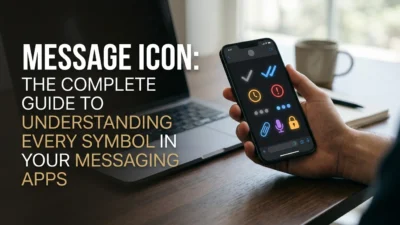
Snapchat uses color-coded icons to tell you the status of your messages. Understanding these symbols prevents confusion and helps you know whether your message has been seen .
The Blue Arrow and Box System
A blue-filled arrow means you’ve sent a text to someone, and they haven’t opened it yet. An arrow with a blue border means the recipient has seen and opened your message. A blue-filled box appears when you receive a new message, often labeled “new chat.” A box with a blue border tells your friend that you’ve seen and opened their message .
The Grey Box: Pending or Blocked
A grey box is a signal that something is off. It typically appears when you send a message to someone who isn’t on your friends list, or when the recipient hasn’t accepted your friend request. In some cases, it could also indicate that you’ve been blocked . If you see a grey box, don’t panic. Check whether you’re friends with the person, or consider whether there might be a connection issue.
⏳ How Long Do Snapchat Messages Last?
This is where Snapchat gets interesting. The default behavior is that messages disappear, but the rules are more nuanced than most people realize.
The Default: Delete After Viewing
In one-on-one conversations, text chats are set to delete 24 hours after you’ve viewed them . For Group Chats, messages delete one day after everyone has viewed them, or one week after the message was sent, whichever comes first . Unopened Snaps sent one-on-one are automatically deleted after 31 days, while those sent to Group Chats disappear after 7 days .
Saving Messages
If you want to keep a message, you can. Tap and hold the message until you see “Saved” appear, and it will be stored in the Chat. Your friend can do the same with messages you send them . Saved messages remain visible even after you leave the chat.
The New “Infinite Retention” Option
Snapchat has been testing a feature that lets users keep conversations indefinitely, similar to how iMessage or SMS works. This setting is opt-in and applies per conversation, meaning you could keep chats with your closest friend forever while other conversations still disappear after viewing . Snapchat emphasizes that even with disappearing messages, the company retains data for community safety investigations and law enforcement requests .
👻 Messaging People You’re Not Friends With
Snapchat’s default setting is that only friends can contact you. However, there are situations where messages from non-friends can reach you, and you have control over this .
The “Friends and Contacts” Setting
If someone has your phone number in their contacts, and you’ve enabled “Friends and Contacts” in your settings, they may be able to message you even before you’ve added them as a friend. If you prefer stricter privacy, go to Settings, tap “Who can contact me,” and select “Friends” only .
Receiving Messages from Strangers
If you receive a message from someone who isn’t your friend, you can tap “Notify or Block” in the chat to hide or block the conversation. The other person won’t know you’ve done this . This gives you a simple way to handle unwanted contact without confrontation.
❌ Common Mistakes to Avoid
Even frequent Snapchat users make these errors. Steering clear of them will improve your experience.
Mistake 1: Assuming All Messages Are Private
Snapchat messages can be saved, screenshotted, or captured with another device. The app notifies the sender when a screenshot is taken, but that doesn’t prevent it from happening. Never send something you’d regret if it became public .
Mistake 2: Ignoring the “Pending” Status
If your message shows a grey box or a pending status, it may mean the recipient hasn’t accepted your friend request or has restricted who can contact them. Don’t keep sending messages into the void. Check your friendship status first .
Mistake 3: Forgetting That Group Chats Have Different Rules
Group Chat messages have different deletion timelines than one-on-one chats. If you’re in a group, remember that messages stick around longer, and more people can potentially save them .
Mistake 4: Using Snapchat for Sensitive Information
Because of the disappearing nature of the app and the possibility of screenshots, Snapchat isn’t ideal for sharing sensitive information like passwords, financial details, or anything you’d want to keep permanently secure.
💡 Expert Tips for Better Snapchat Conversations
These practical strategies will make your Snapchat texting more effective and enjoyable.
Be Mindful of the Disappearing Factor
The ephemeral nature of Snapchat encourages spontaneity, but it also means you can’t always refer back to past messages. If something is important, save it. If you’re discussing plans or details you’ll need later, consider using a more permanent messaging method .
Use the “Saved” Feature Strategically
When a friend sends a sweet message or important information, save it. Saved messages appear highlighted in the chat, making them easy to find later. Just remember that the other person can see that you’ve saved it .
Respect “Who Can Contact Me” Boundaries
If someone has set their contact preferences to “Friends only,” don’t try to circumvent it. Respect their boundaries. They’ll add you if and when they’re ready .
Keep Conversations Light
Snapchat is designed for casual, visual communication. It’s great for jokes, quick updates, and sharing moments. For longer, more serious conversations, a traditional texting app or a phone call might be more appropriate.
🌍 A Note on Regional Restrictions
Snapchat’s SMS functionality can vary by country. For example, starting April 2026, due to Turkish regulations, Snapchat may be unable to send SMS messages containing links to users in Türkiye. If you’re expecting a verification or password reset text with a link and it doesn’t arrive, you may need to request delivery by email instead . This is a reminder that text messaging features can be affected by local laws and carrier policies.
❓ Frequently Asked Questions
What is the difference between a Snap and a Snapchat text message?
A Snap is a photo or video that disappears after viewing. A text message (or Chat) is typed text that can last longer, depending on settings. You can reply to a Snap with text by swiping up while viewing it .
Can someone see my Snapchat text messages without opening them?
No. Text messages on Snapchat show as delivered until the recipient opens the chat. However, notifications may appear on their device, and the message content isn’t visible until they open the app .
How do I know if someone blocked me on Snapchat?
A grey box or a message that stays on “pending” can indicate that you’ve been blocked, though it could also mean the person hasn’t accepted your friend request. Snapchat doesn’t send explicit notifications for blocking .
Can I send a Snapchat text message to a phone number instead of a username?
You can invite someone to Snapchat via text if they aren’t on the app yet. The app will open your phone’s Messages app with an invite link. Once they join, you can add them as a friend .
Do Snapchat messages really disappear forever?
Not necessarily. Recipients can save messages by tapping and holding them, take screenshots, or even photograph their screen with another device. Snapchat notifies the sender of screenshots, but it can’t prevent them .
What happens to my messages if I delete the Snapchat app?
Deleting the app doesn’t delete your account or your messages. If you log back in, your chats and saved messages should still be there, though disappearing messages may have expired based on their timers.
Can I use Snapchat to text someone who doesn’t have the app?
No. Snapchat messaging only works between Snapchat users. To reach someone who isn’t on the app, you’ll need to use regular SMS or another messaging platform. You can send them an invite to join Snapchat, but you can’t message them directly until they sign up .
Why did my Snapchat text message disappear before the person read it?
Messages usually disappear after they’ve been viewed, but unopened Snaps and chats have their own expiration timers. For example, unopened one-on-one Snaps delete after 31 days, and unopened Group Chat Snaps delete after 7 days. If a message vanished unexpectedly, check whether the sender deleted it or whether a timer expired .
✅ Conclusion
A Snapchat text message is more than just a typed line of text. It’s part of an app designed for spontaneity, privacy, and visual communication. Understanding how messages behave, what the icons mean, and how long chats last will make you a more confident user. Whether you’re replying to a friend’s Snap with a quick joke, managing your contact preferences to keep strangers out, or deciding whether to save a meaningful conversation, Snapchat gives you tools to control your experience.
Avoid the common pitfalls, respect others’ privacy settings, and remember that even disappearing messages can be captured. Use Snapchat for what it does best: casual, fun and immediate connection with the people who matter most. Master the text message side of the app, and you’ll get more out of every conversation.

Mr. Abdullah is a passionate writer who creates engaging, helpful, and easy-to-understand content for readers. He enjoys sharing fresh ideas, useful insights, and inspiring stories through MessageWritingHub.