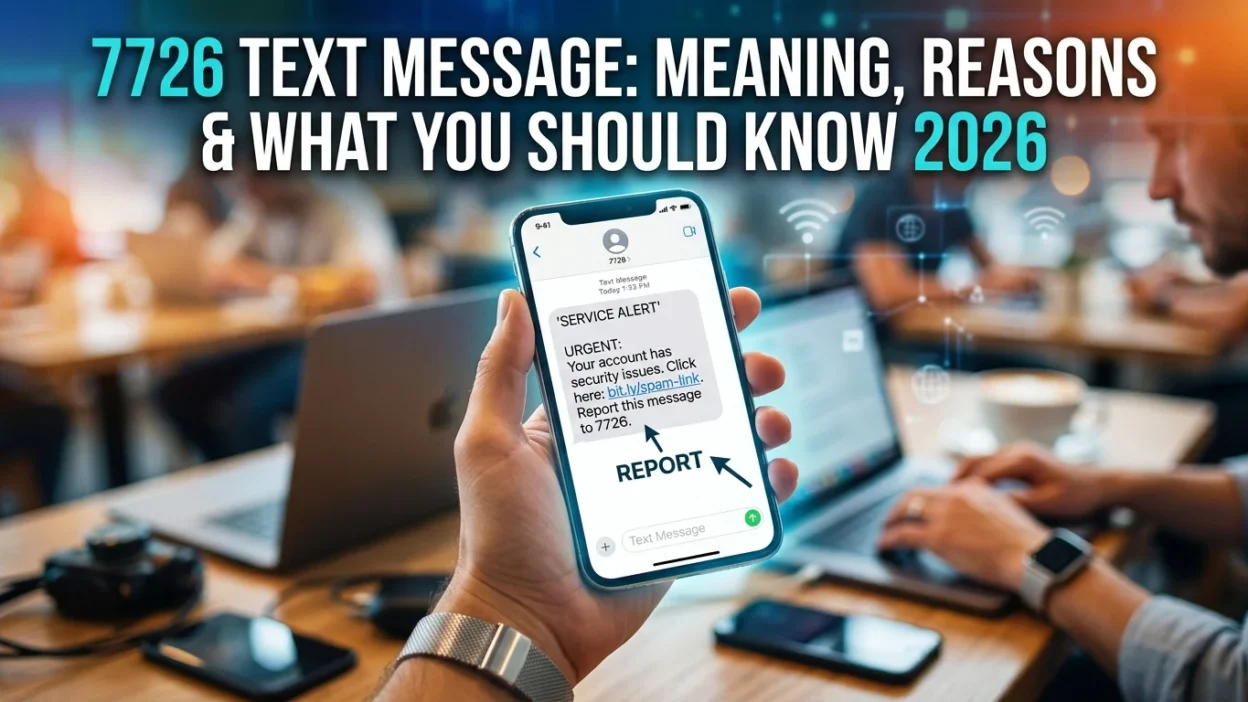
You receive a suspicious text message claiming you’ve won a prize or that your bank account has been compromised. Instead of ignoring it or worrying about what to do, there’s a simple, free solution: forwarding it to 7726. This five-digit number, which spells “SPAM” on a phone keypad, is a powerful tool that helps mobile carriers identify and block scammers.
This guide explains what the 7726 text message service is, how to use it correctly, and why reporting spam texts matters for your safety and the safety of others.
📌 What Is 7726 and Why Does It Matter?
The number 7726 is a dedicated short code that spells “SPAM” on an alphanumeric phone keypad. This is not a coincidence—the code was deliberately chosen so it would be easy to remember. Most major mobile carriers across the United States, United Kingdom, Canada, and other countries participate in a scheme that allows customers to forward suspicious text messages to this number for free.
When you forward a spam text to 7726, your mobile provider investigates where the message originated. Consequently, they can then block the sender and potentially remove malicious websites that scammers use. This reporting system has already led to tens of thousands of malicious websites being taken down.
📱 How to Forward a Spam Text to 7726
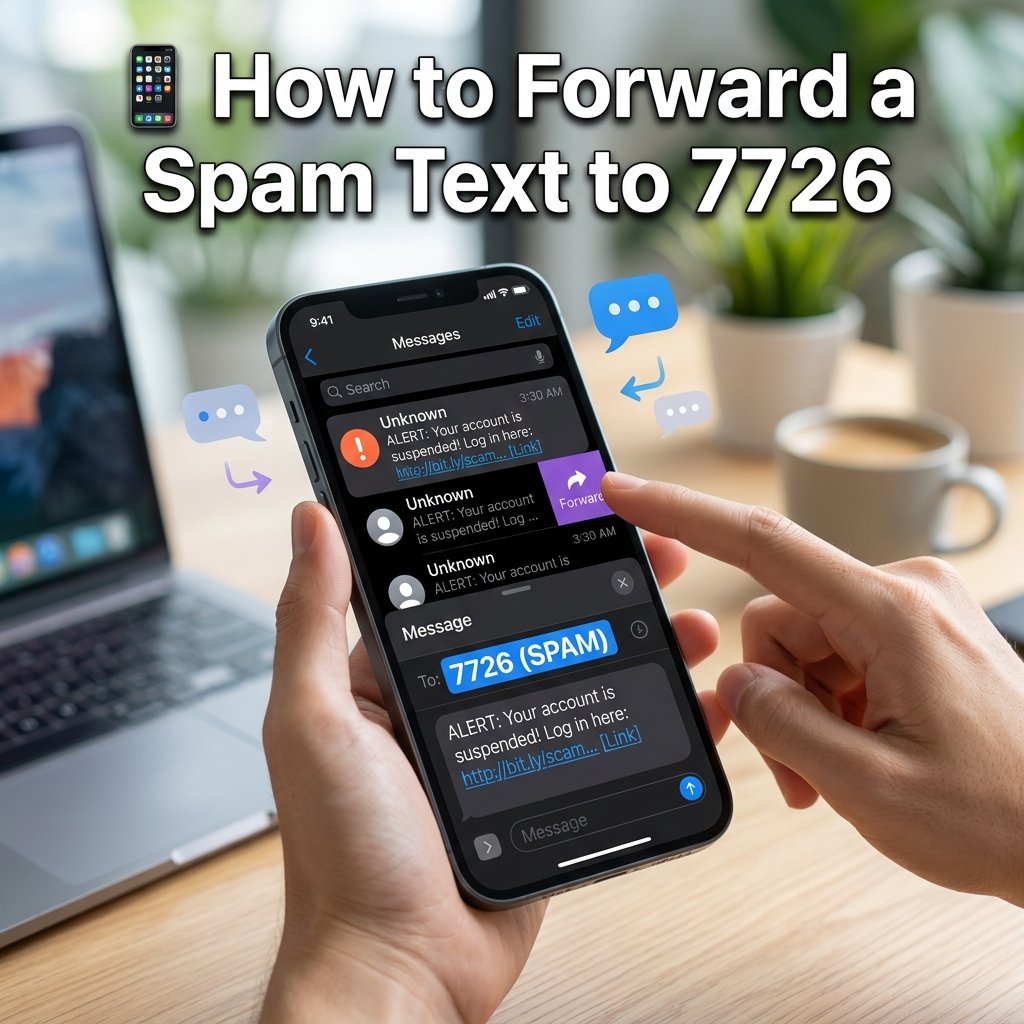
The process of reporting a scam text to 7726 varies slightly depending on your device. However, the general steps are straightforward.
On iPhone or iPad
Open the Messages app and find the suspicious message. Press and hold on the message bubble until a menu appears. Then, tap “More” and select the message you want to forward. Next, tap the forward arrow at the bottom right of your screen. Finally, type “7726” in the To field and send.
On Android Devices
Open the conversation containing the spam message. Press and hold on the message bubble until a menu appears. After that, tap the three dots on the top right of your screen. Then, select “Forward.” Type “7726” in the recipient field and send.
What Happens After You Forward
After you forward the message to 7726, you typically receive an automated reply asking for the sender’s phone number. Therefore, copy the number that the suspicious message came from and reply to the 7726 message with that number. This provides carriers with the information they need to investigate and block the scammer.
🎯 Why Reporting Spam Texts to 7726 Matters
Many people receive spam texts and simply delete them. Nevertheless, taking a few extra seconds to forward them to 7726 makes a significant difference.
Protects You from Future Scams
Reporting spam texts can reduce the number of spam messages you receive. When carriers identify and block malicious senders, those scammers can no longer target you or other customers. Consequently, you receive fewer unwanted messages over time.
Helps Others Stay Safe
When you report a scam text to 7726, you are not just protecting yourself—you are helping others from falling victim to the same scam. Each report provides carriers with valuable data about emerging scams and helps them identify patterns. Furthermore, this information allows carriers to warn other customers about new threats.
Disrupts Criminal Operations
Scammers rely on their messages reaching as many people as possible. However, when carriers identify and block their numbers and websites, it disrupts their operations. As a result, it becomes harder for them to succeed in their fraudulent activities.
🔒 What to Do Before Reporting to 7726
Before you forward a suspicious message to 7726, there are important safety steps to follow. These precautions protect you from potential harm.
Do Not Click Any Links
Scam messages typically contain links that lead to malicious websites. These sites are designed to steal your personal information or install malware on your device. Therefore, never click on these links, even to see where they go.
Do Not Reply to the Scam Message
Responding to a spam text alerts the scammer that your number is active. Consequently, this can lead to receiving even more scam messages in the future. Instead, simply forward the message to 7726 and delete it.
Do Not Share Personal Information
Legitimate organizations will never ask for sensitive information like passwords, Social Security numbers, or bank details via text message. If a message asks for this information, it is almost certainly a scam. Therefore, never provide personal details in response to unsolicited texts.
📋 What to Do After Reporting to 7726
After you have forwarded the suspicious message to 7726 and provided the sender’s number, there are a few more steps you can take. These additional actions provide extra protection.
Block the Number
Use your phone’s built-in feature to block the number that sent the scam message. This prevents the scammer from contacting you again from that specific number. Consequently, you reduce the chance of receiving future unwanted messages.
Delete the Message
Once you have reported the scam and blocked the number, delete the message from your phone. This removes any risk of accidentally clicking on links later. Furthermore, it keeps your messaging app clean and organized.
Report to Government Authorities
In addition to reporting to 7726, you can file a complaint with government agencies. For instance, in the United States, you can report fraudulent texts to the Federal Trade Commission (FTC) through their Report Fraud Assistant. Similarly, in the UK, you can report suspicious emails to report@phishing.gov.uk.
🚨 Common Questions About 7726
Is It Free to Report Spam Texts to 7726?
Yes, forwarding messages to 7726 is completely free. Furthermore, messages forwarded to this number do not count toward your messaging package. This applies even if you do not have an unlimited texting plan.
Does 7726 Work in All Countries?
The 7726 short code is used in many countries, including the United States, United Kingdom, Canada, and New Zealand. However, the exact procedure may vary depending on your location and carrier. Therefore, check with your provider for specific instructions.
Can I Report Calls to 7726?
Yes, you can also report unwanted phone calls by texting 7726 with the word “Call” followed by the scam caller’s number. This helps carriers investigate and block phone scammers as well.
What If I Accidentally Report a Legitimate Message?
If you accidentally forward a message to 7726 that turns out to be legitimate, your carrier will not take action against it. The system is designed to identify scam messages, and legitimate senders will not be affected. Therefore, there is no penalty for reporting a message that turns out to be safe.
Why Does 7726 Ask for the Sender’s Number?
Carriers need the sender’s phone number to properly investigate and block the source of the spam. The original forwarding process includes the message content. However, the sender’s number helps carriers identify patterns and block repeat offenders. Consequently, providing this information makes the reporting more effective.
💡 Expert Tips for Staying Safe
Add 7726 to Your Contacts
Consider saving 7726 as a contact in your phone with the name “SPAM Reporting.” This makes it easier to forward suspicious messages quickly. Furthermore, having it saved prevents you from accidentally ignoring or deleting important reports.
Stay Informed About Current Scams
Scammers constantly change their tactics. Therefore, stay informed about common scams in your area so you can recognize them more easily. Ofcom and other regulatory bodies regularly update their guidance on scam calls and texts.
Report Even If You’re Unsure
If a message seems suspicious, report it to 7726 anyway. Even if it turns out to be legitimate, reporting it does no harm. However, if it is a scam, your report could help prevent others from becoming victims. Consequently, it is better to report than to ignore.
Use Built-In Reporting Features
Many modern messaging apps like Google Messages and Apple iMessage have built-in “Report Junk” or “Report Spam” features. These complement reporting to 7726 by blocking the sender on the app level. Furthermore, they provide additional data to help combat spam.
❓ Frequently Asked Questions
What is 7726?
7726 is a short code that spells “SPAM” on a phone keypad. Mobile customers can forward suspicious text messages to this number for free to report spam and scams to their carrier.
Is forwarding to 7726 free?
Yes, forwarding messages to 7726 is free and does not count toward your messaging package.
Do I need to include the sender’s number when reporting?
After you forward a message to 7726, you will receive an automated reply asking for the sender’s phone number. Replying with this number helps carriers investigate the source of the spam.
Will reporting to 7726 block the scammer?
Reporting to 7726 alerts your carrier to investigate the sender and potentially block them. However, scammers often use multiple numbers, so blocking one may not stop all future messages.
Can I report a spam call to 7726?
Yes, you can report unwanted calls by texting 7726 with the word “Call” followed by the scam caller’s number.
What happens after I report a text to 7726?
Your carrier investigates the message and may block the sender or remove malicious websites. You will typically receive an automated reply asking for the sender’s number.
Is 7726 used in countries outside the US?
Yes, 7726 is used in many countries, including the United Kingdom, Canada, New Zealand, and more.
Should I click links in spam texts to report them?
Never click on links in suspicious text messages. Forward the message to 7726 and delete it without interacting with any links.
✅ Conclusion
The 7726 text message service is a simple yet powerful tool that helps protect you and others from spam and scams. By forwarding suspicious texts to this free number, you alert your carrier to investigate and block malicious senders. Consequently, this system has already led to the removal of tens of thousands of scam websites.
The process is straightforward: forward the suspicious message to 7726, reply with the sender’s number when prompted, then block the number and delete the message. Taking these few extra seconds can make a real difference in disrupting criminal operations and keeping the mobile network safer for everyone.
Remember, legitimate organizations will never ask for personal information via text. Furthermore, you should never click on links in suspicious messages. When in doubt, report it to 7726 and stay safe.

Mr. Abdullah is a passionate writer who creates engaging, helpful, and easy-to-understand content for readers. He enjoys sharing fresh ideas, useful insights, and inspiring stories through MessageWritingHub.